

Adding the Dessert Photo
Once the client has logged in, they can easily add new desserts without worrying about the layout. It's all in this form.
Dessert Photo--just upload the photo here.
Once you his publish, the Dessert Photo will appear in the upper left of the dessert's page.
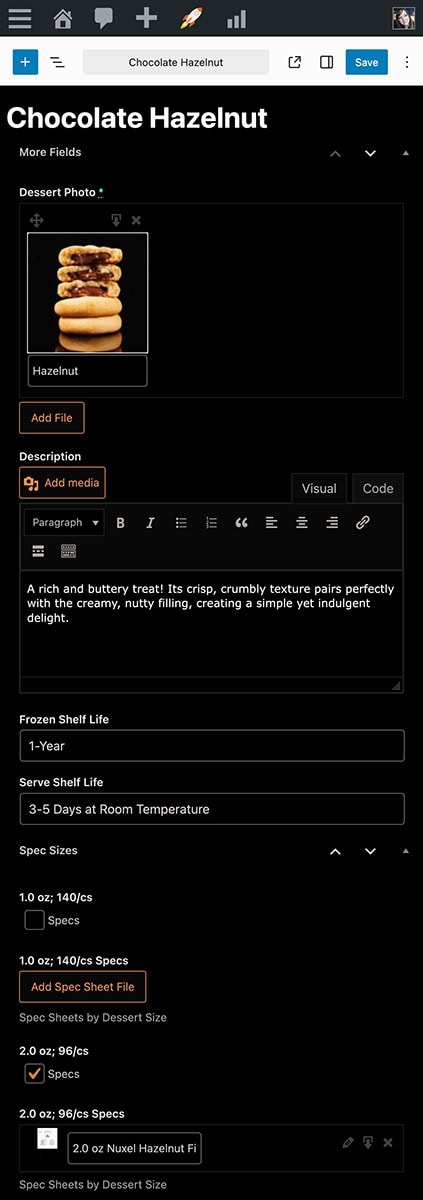
Once the client has logged in, they can easily add new desserts without worrying about the layout. It's all in this form.
Dessert Photo--just upload the photo here.
Once you his publish, the Dessert Photo will appear in the upper left of the dessert's page.
Featured Image
DescriptionDessert Description
Adding the Dessert Description
Once the client has logged in, they can easily add new desserts without worrying about the layout. It's all in this form.
Description--just type the description in this text box.
Once you his publish, the Description will appear in the upper right of the dessert's page.
Once the client has logged in, they can easily add new desserts without worrying about the layout. It's all in this form.
Description--just type the description in this text box.
Once you his publish, the Description will appear in the upper right of the dessert's page.
Shelf Life
The client simply types the info for the shelf life into a form field.
Download PDF of Product Spec SheetsProduct Spec Sheets
The client simply clicks on the button to upload the spec sheet for each size they've checked off. Then, website users can download the one(s) they want.
